
1. Go to the CPSTDocs Portal
Open CPSTDocs.
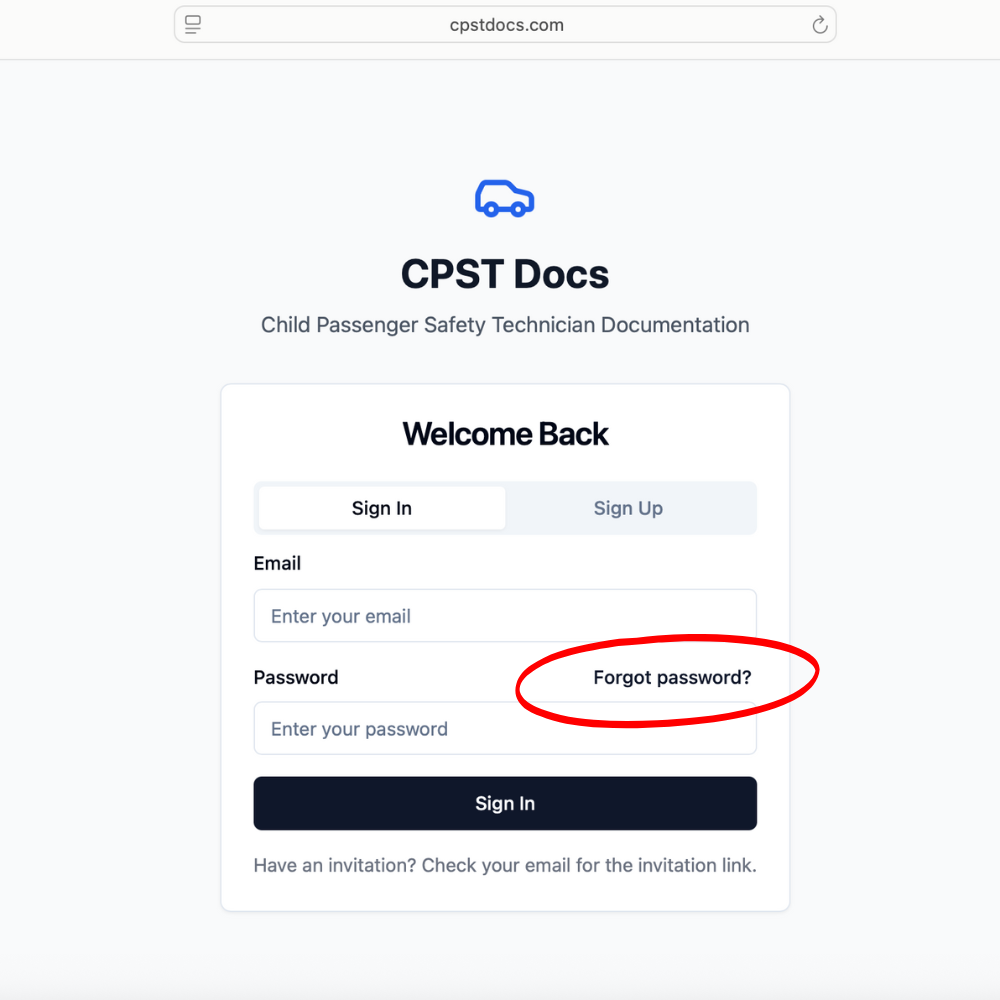
2. Click “Forgot Password”
You’ll find this option under the login fields.
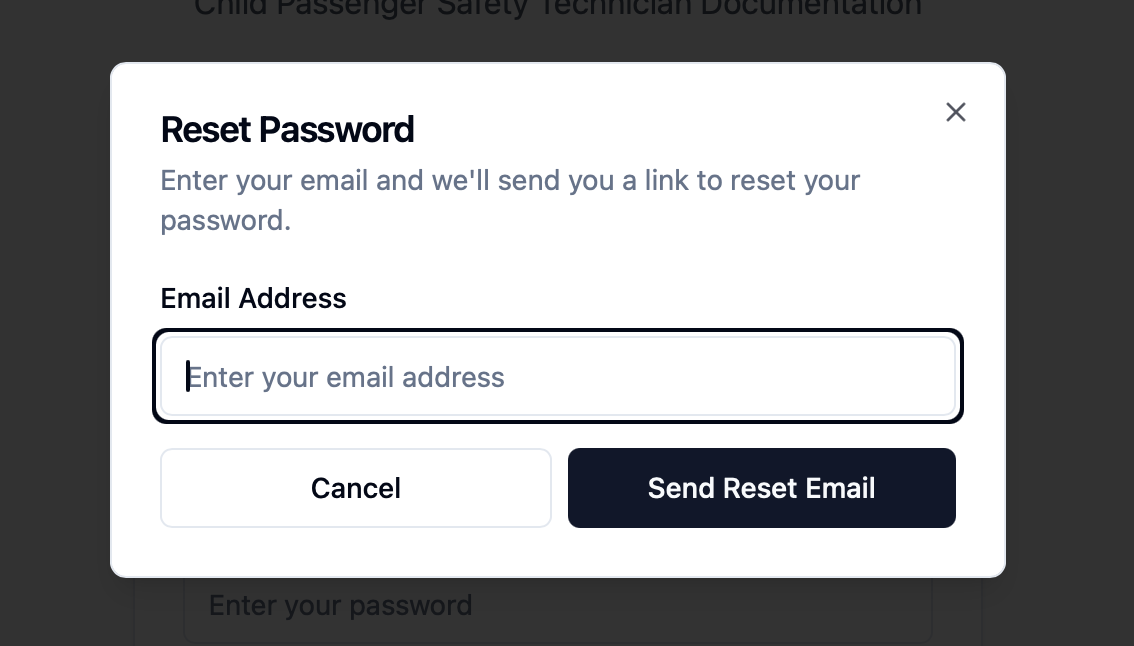
3. Enter Your Email Address
Type in the email address linked to your CPSTDocs account.
4. Check Your Inbox
You’ll receive an email with a password reset link.
Open the email and click the link provided.
5. Set a New Password
Enter your new password and confirm it.
6. Log In Again
Return to the CPSTDocs portal.
Use your email and new password to log in.
💡 Tips & Troubleshooting
Didn’t receive the email? Check your spam/junk folder.
Wrong email? Make sure you’re using the same email registered to your CPSTDocs account.
Still having issues? Contact ACRI support at [email protected] for help.