
Here’s a quick guide for accessing and using CPSTDocs: 🔗 https://www.cpstdocs.com/
Once logged in, you’ll land on the Dashboard, where you can see your total installations, clients, and databases.
🏢 Step 1: Set up your Organisation Profile
Before you start, make sure your organisation profile is set up correctly.
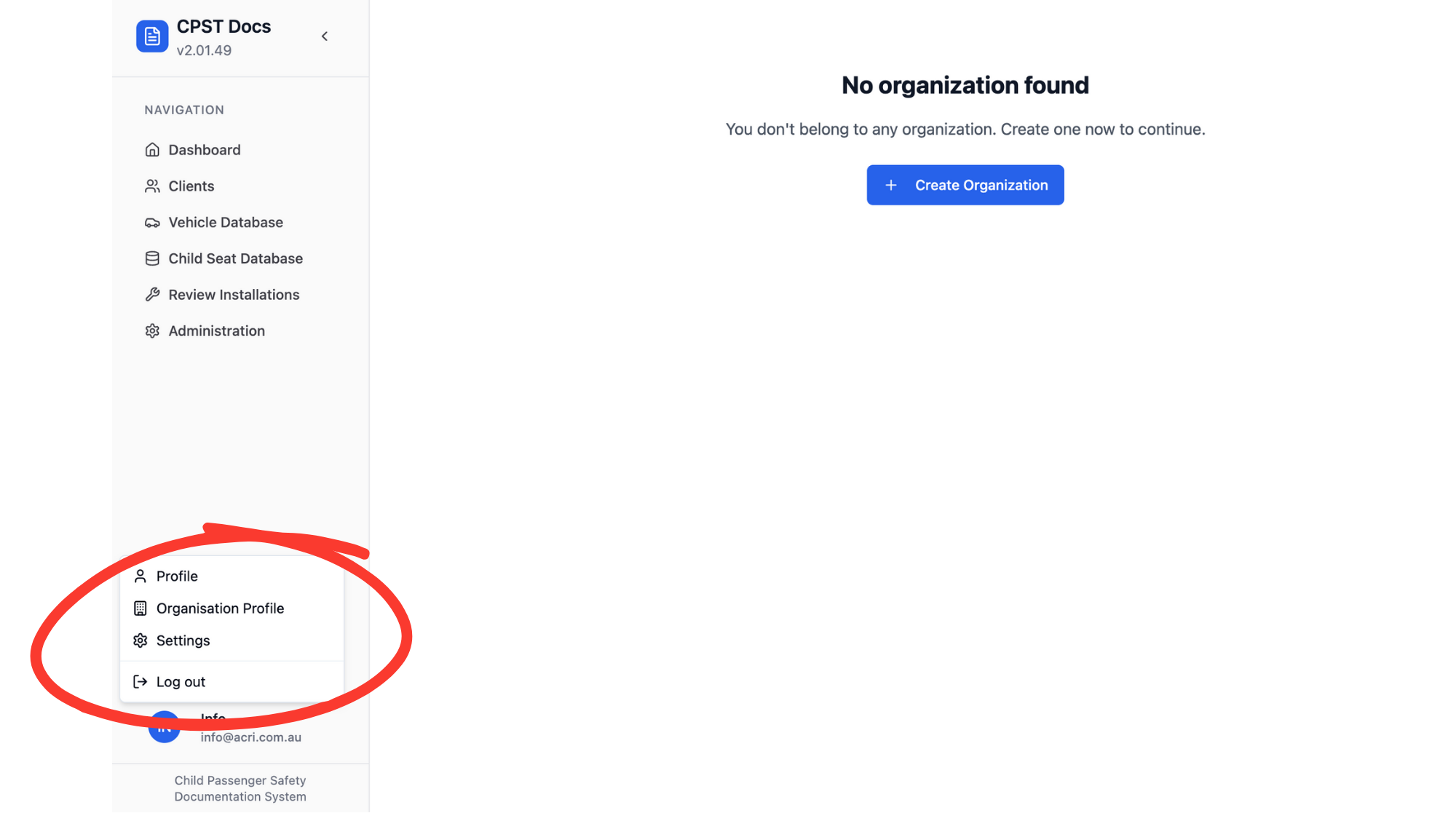
Click the icon at the bottom left corner of the page.
Select “Organisation Profile.”
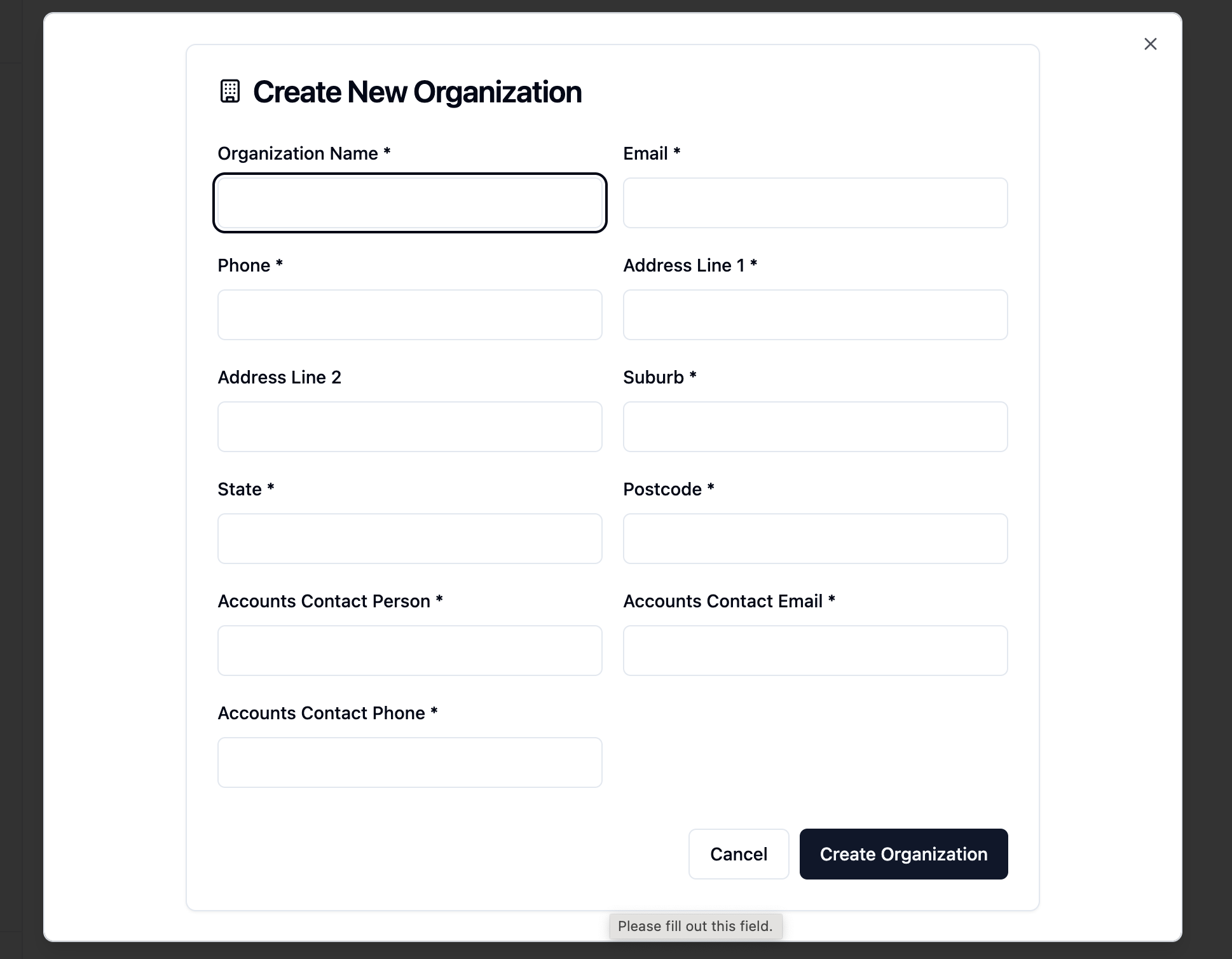
Create or review your details and update them if needed (e.g., organisation name, contact details). Then click Create Organisation.
This ensures your reports and records display the correct information.
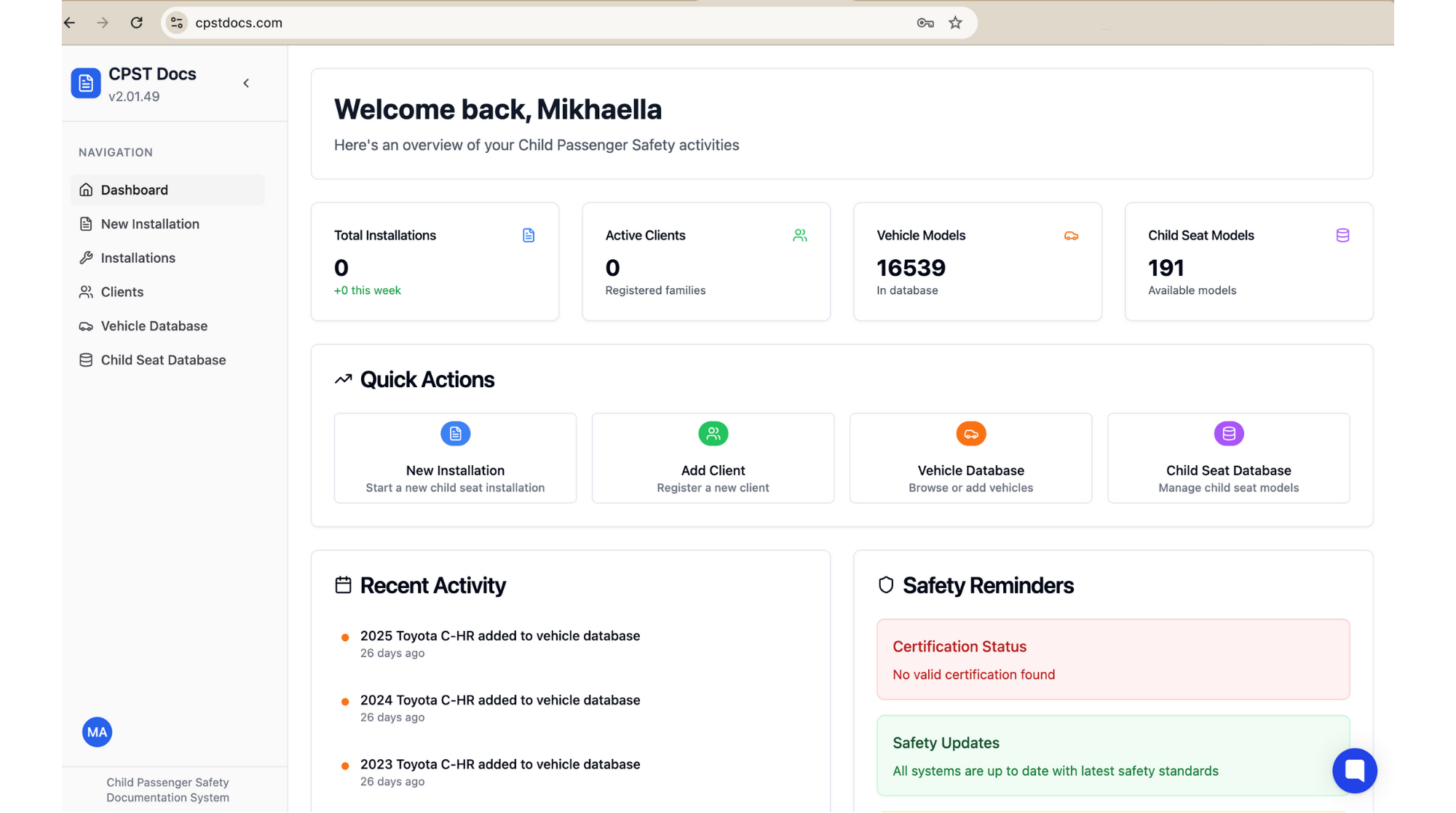
You can use the Quick Actions section to:
Start a new installation
Add a client
Browse the vehicle or child seat database
Navigation links are also on the left-hand side for easy access to Installations, Clients, and Databases.
If you need help, just click the blue chat widget in the bottom-right corner of the page or email [email protected].