Create a New Organisation
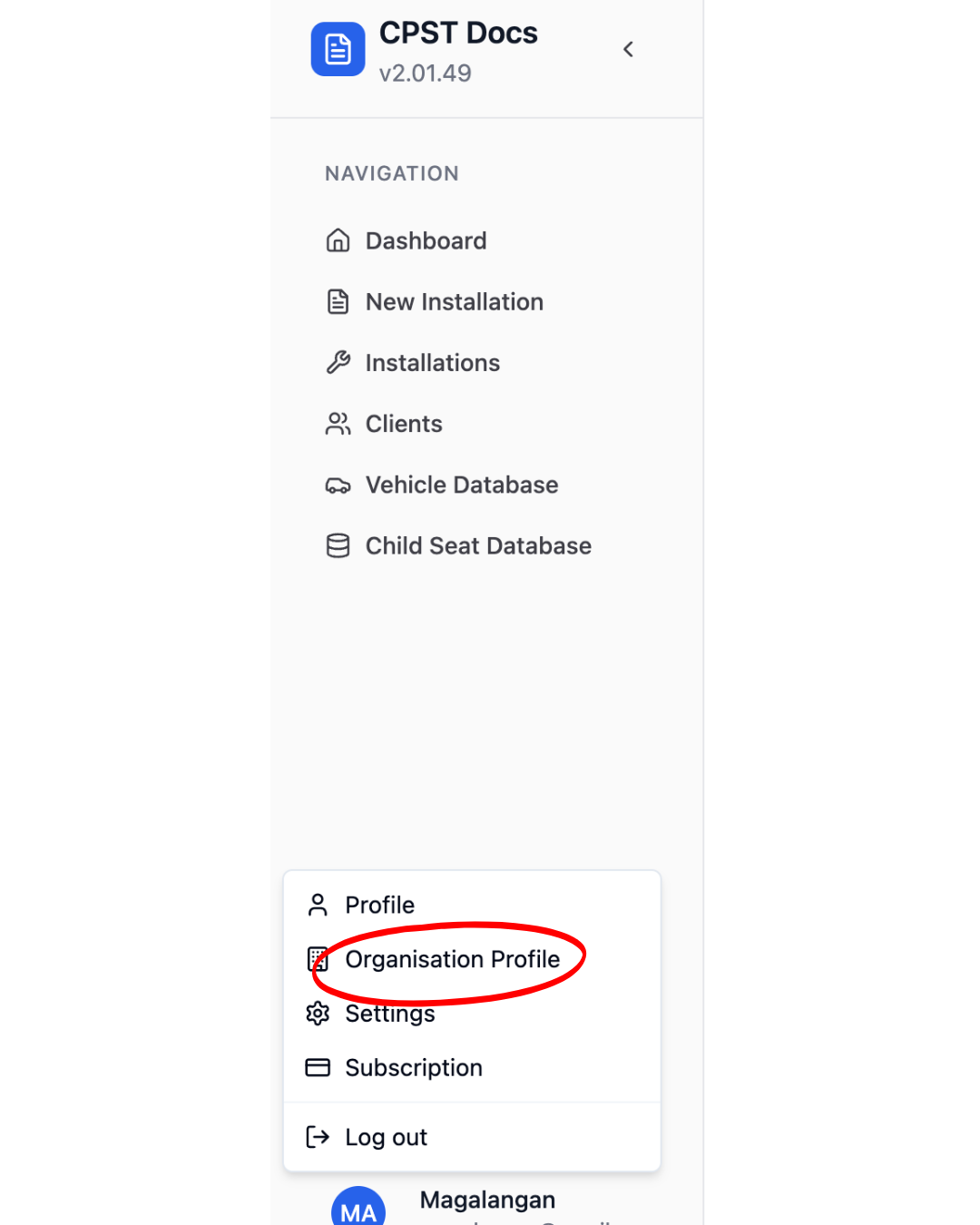
Go to Settings (usually found in the left-hand menu).
Select Organisation or Company Profile.
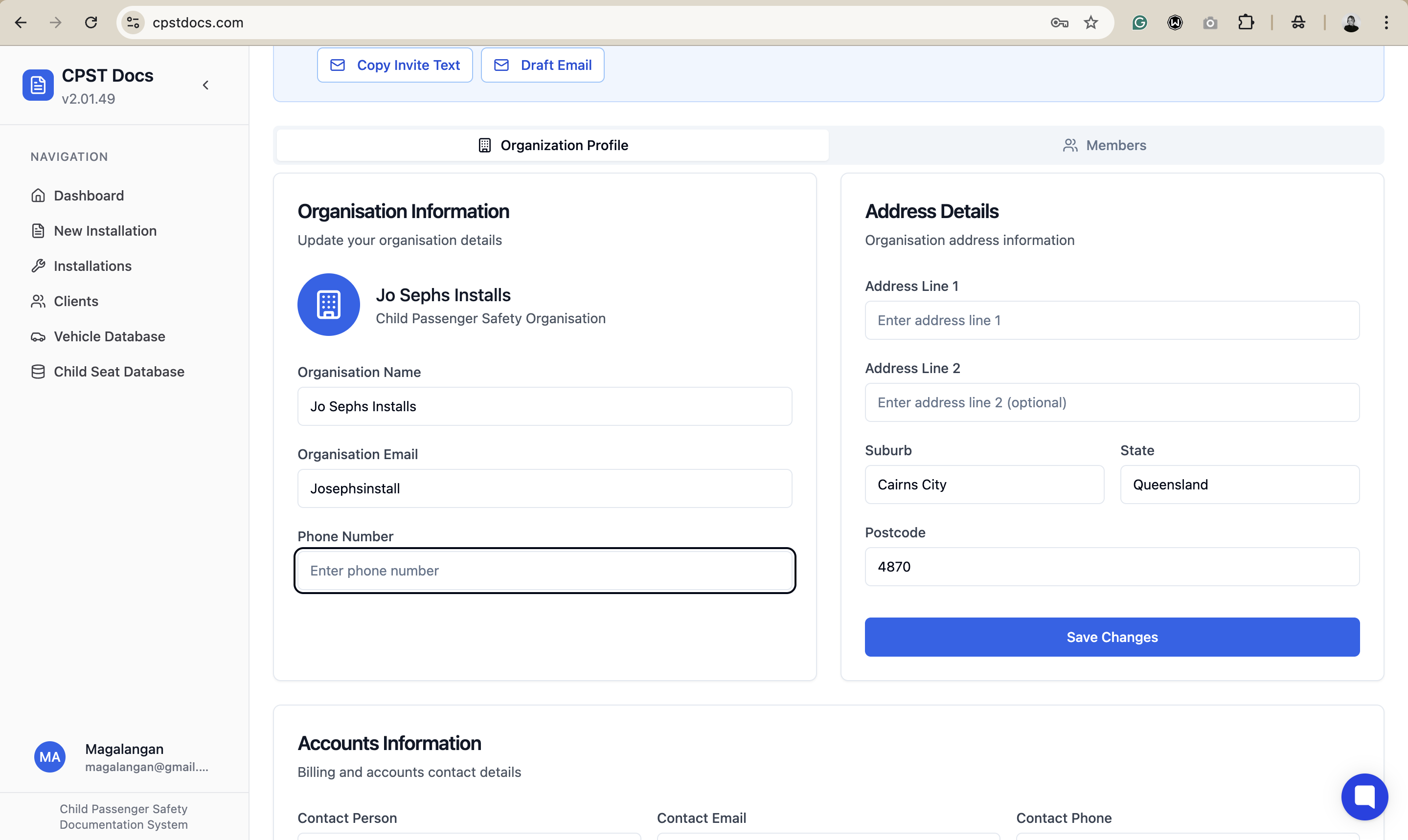
Enter the following test details:
Organisation Name: Jo Sephs Installs
Email: (Your organisation email)
Phone: (Your organisation's Phone number)
Address: (Your organisation address)
Save the organisation.