Some users may find that the inclinometer feature does not work on devices running GrapheneOS, or when using the Brave browser. This is expected behavior and is caused by privacy protections built into those platforms.
This article explains why this happens and what you can do instead.
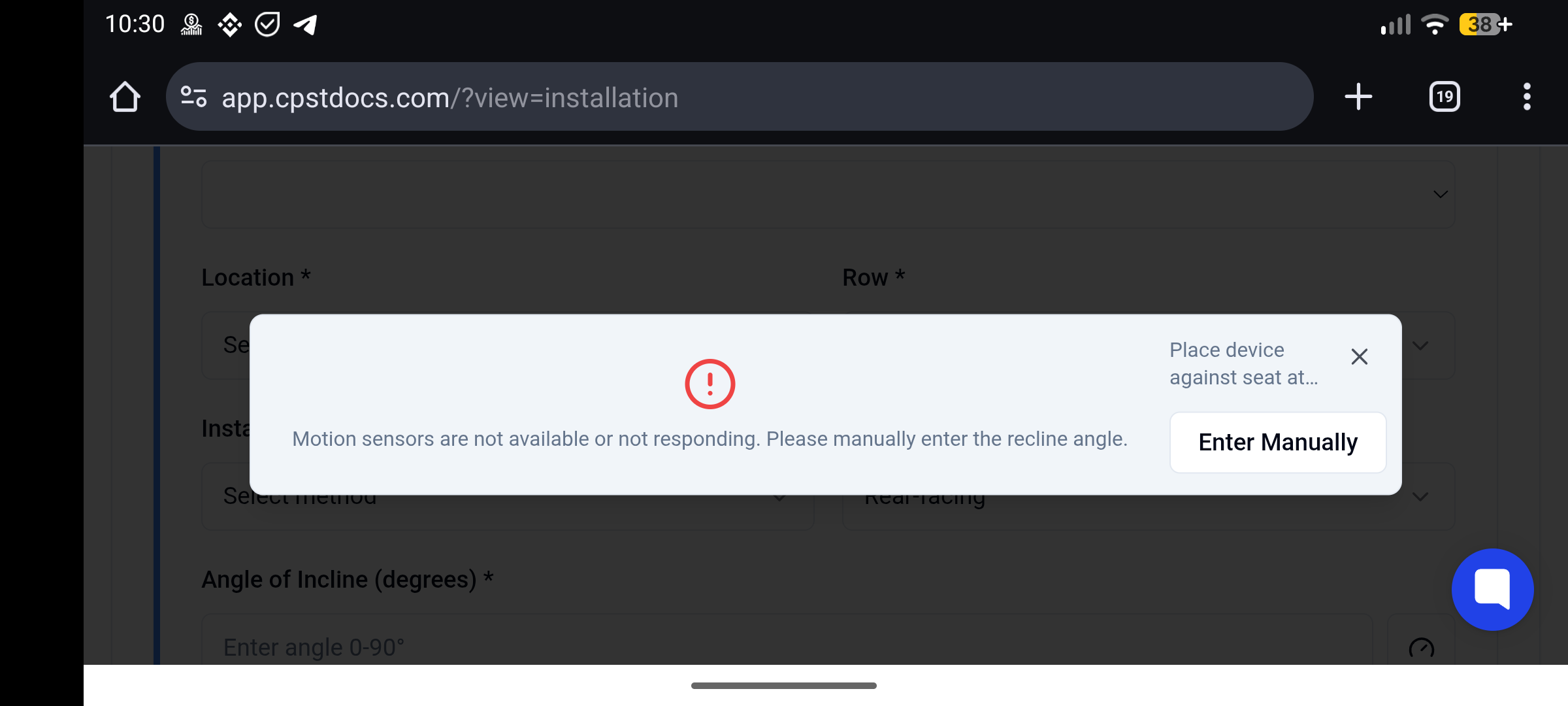
The inclinometer uses your device’s motion sensors (such as the accelerometer and gyroscope) to measure the recline angle. These sensors are accessed through the web browser.
GrapheneOS is a privacy-focused operating system that intentionally restricts access to motion sensors. This is done to prevent device fingerprinting and other privacy risks. As a result, web applications are often unable to receive motion data at all.
Brave includes strong anti-tracking and fingerprinting protections. These protections can:
Block access to motion and orientation sensors
Prevent inclinometer data from being shared with websites
Do so without always showing a permission prompt
Even if permissions appear to be allowed, the browser may still withhold sensor data.
No.
This is expected behavior on privacy-hardened platforms like GrapheneOS and Brave. The app is functioning correctly, but the browser or operating system does not allow access to the required sensors.
When the inclinometer cannot access motion sensors, the app will:
Display a message explaining that the feature is unavailable on the current device or browser
Prompt you to manually enter the recline angle instead
This is fully supported on Brave & GrapheneOS
Tap the three dots (⋮) in Brave
Tap Settings
Tap Site settings
Tap All sites
Review permissions:
Motion sensors (Or simply Sensors)
Camera
JavaScript
You can always:
Skip the inclinometer
Manually enter the recline angle in the Recline Angle field
This is fully supported and valid.
If you wish to use the inclinometer feature:
Use Chrome or Safari on a mobile device
Use a device with standard motion sensor access (most iOS and stock Android phones)
The following will not enable the inclinometer on GrapheneOS or Brave:
Refreshing the page
Re-opening the inclinometer
Granting permissions again
Using a different inclinometer button or retrying the capture
The limitation is enforced by the operating system or browser itself.
The inclinometer relies on device motion sensors
GrapheneOS and Brave intentionally restrict access to these sensors
This is a privacy feature, not an app error
Manual angle entry is always available as a fallback
If you have further questions or need assistance, please contact support.